
The in-browser sidebar for your notes.
Have your thoughts immediately available in browser. Draft, organize, and clip content without leaving your browser tab. Keep track of ideas, scratch notes, to-do lists, and more right where you need them.
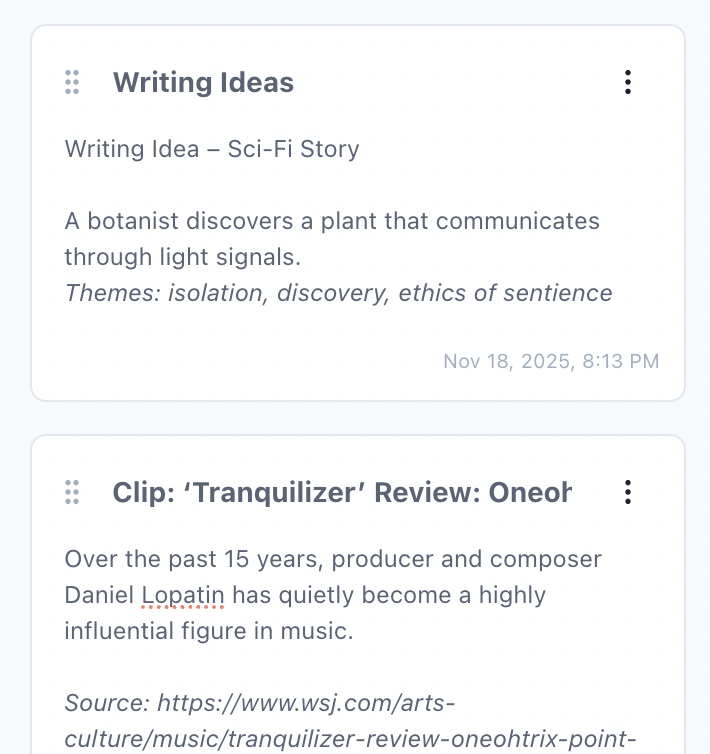
Everything you need in a sidebar
Packed with features to make note-taking seamless while you browse.
Jot it down without leaving the page
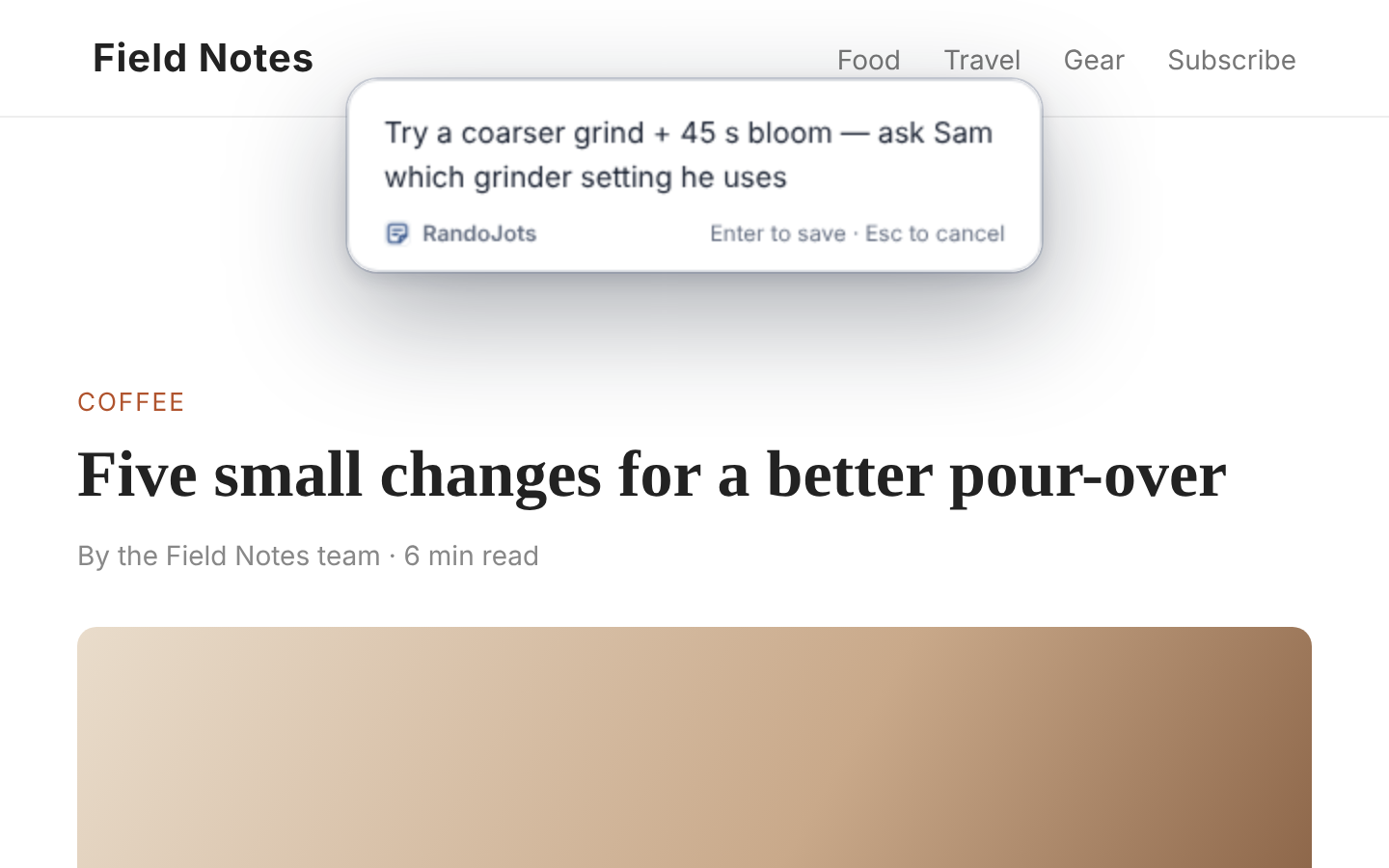
Press Alt+Shift+J on any page and a small card appears with the cursor ready. Type your thought, press Enter, and it's saved to the top of your jots. Esc cancels.
The card stays out of the way of whatever you're reading, and you can change the shortcut anytime in Chrome.

So many ways to use RandoJots!
Keep your presentation notes, user credentials, or checklists ready right in browser. Never fumble for a password or forget a talking point again. Keep track of research notes as you browse the web.
- Have presentation notes available
- Keep shopping list checklists visible
- Quickly copy-paste form data
- Draft bug reports in-context
Keep your research and its sources together
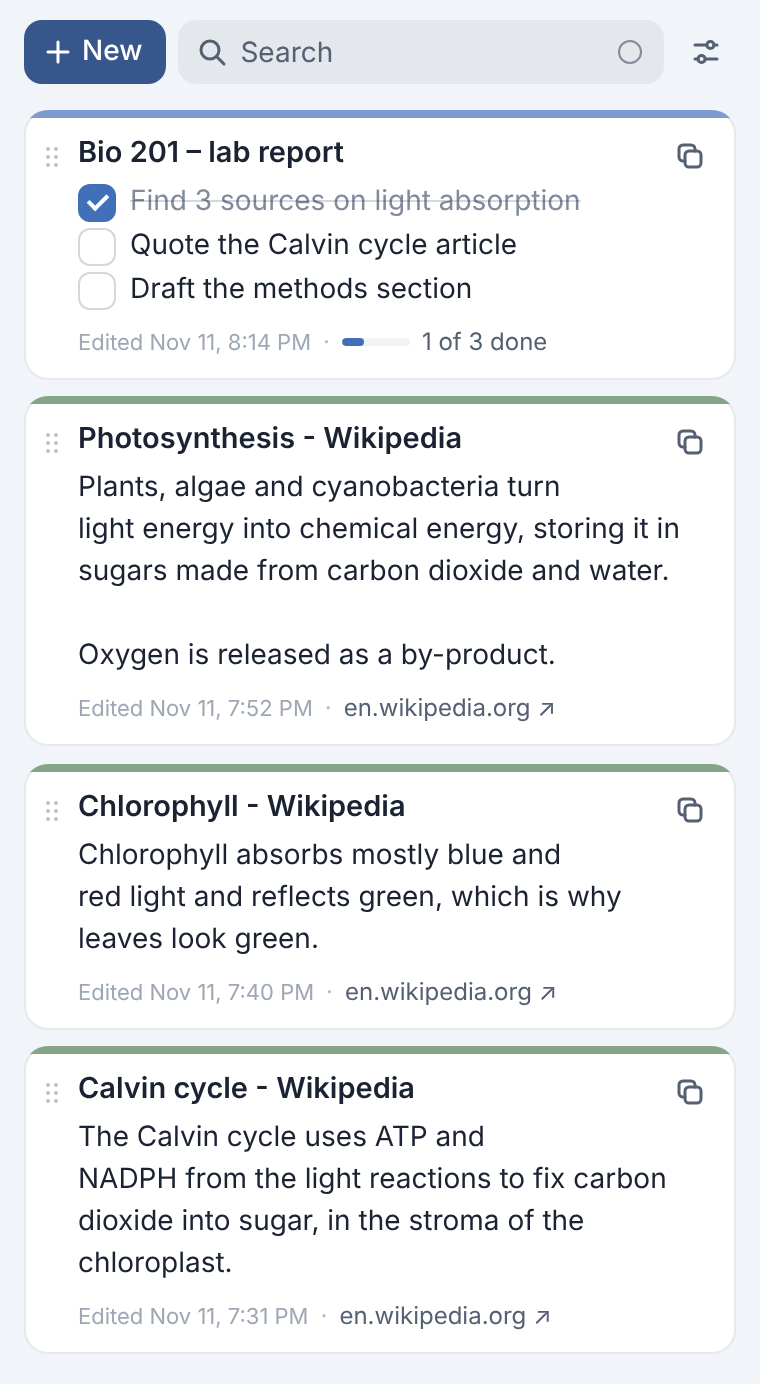
Highlight a passage on any site, right-click, and choose “Save to RandoJots.” Each clip keeps the page title and a link back to the original site, so tracking down where a quote or citation came from is one click away.
- Clip quotes, facts, and passages as you read
- Every clip links back to its original source site
- Search all your clips to find a source again
- Color-code jots by class, paper, or project
- Export your notes as text when it's time to write

Hi, I'm Randy!
Product Manager & Creator
I'm a product manager living in the San Francisco Bay Area. Currently I'm working at a large tech company building e-commerce and subscription management experiences.
I love building new tools and I'm passionate about creating digital experiences that are beautiful, intuitive, and deliver measurable business results.
If you'd like to contribute to RandoJots or want to chat please reach out or find me on LinkedIn.